
Android APK · iOS · Android 4.1+ / iOS 9+
Betwinner App — Download APK for Android & iOS (Official)
The official Betwinner app: how to install the Android APK safely, where the iOS build lives (App Store or TestFlight-style profile), what the system requirements actually are, and why modded APKs are a bad idea.
Open Betwinner Mobile →Betwinner app at a glance
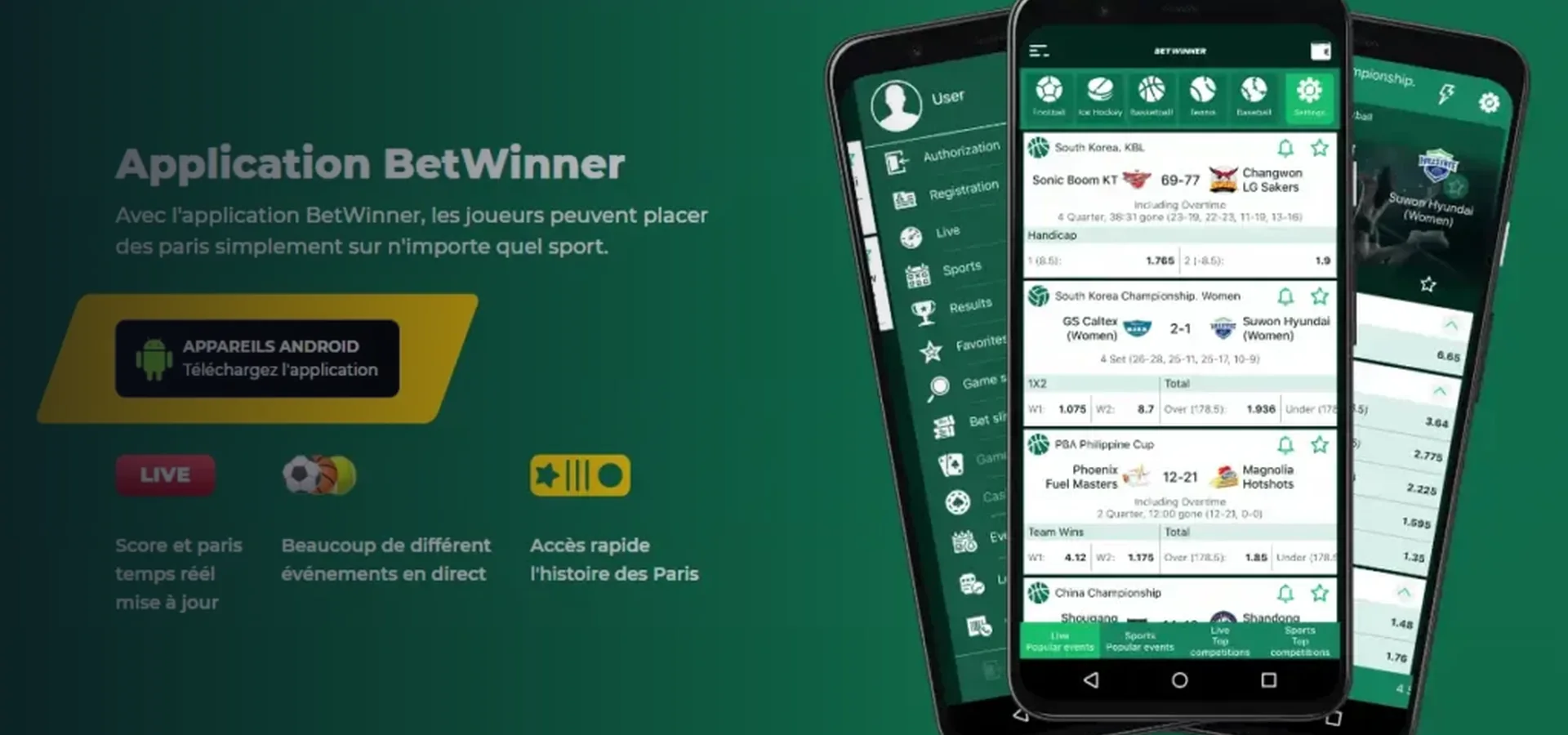
Betwinner ships a native Android app and a native iOS app. Both mirror the full product — sportsbook, live betting, casino, Aviator, account settings, deposits, withdrawals and biometric login. The app is free; the only cost is your normal data connection and any deposit you choose to make.
Betwinner is operated by PREVAILER B.V. (Curaçao licence OGL/2024/341/0759, granted 28 March 2025 under P.B. 2024 no. 157). Payment agent HARBESINA LTD (Cyprus, HE 405135). Not authorised by any Malaysian authority.
Betwinner Android APK
The Android app is a direct APK download. It is not on Google Play — Google excludes gambling apps from most regions including Malaysia. The official download link lives on the Betwinner mobile page (the brand's official domain). Anything else is third-party and unverified.
Install steps
- On your Android device, open the official Betwinner site in Chrome and tap the Android download banner on the mobile page.
- Confirm the APK download. The browser may warn that the file type can harm your device — this is a standard warning for any APK outside Google Play.
- When the download finishes, open Settings → Apps → Special access → Install unknown apps (the exact path varies by manufacturer), and grant Chrome permission to install unknown apps.
- Open the downloaded APK and tap Install. Accept the requested permissions (network, storage, biometrics).
- Open the Betwinner app and either log in or register. The full registration flow (One Click, Phone, Full) is available in-app.
Avoid "mod APK" downloads. Modded APKs advertised on third-party sites promise free credits, unlocked bonuses or altered odds — none of that is real, and many such APKs ship credential-stealing malware or clamp a phishing login screen on top of the real app. Only install the APK from the official Betwinner domain.
Betwinner iOS app
The iOS build is distributed through the official Betwinner site link. In regions where Apple permits gambling apps, it lands in the App Store. In other regions, the brand serves an enterprise/profile install via Safari — the install path is described on the mobile page. Either way, the source is the brand's own page, not a third-party mirror.
Install steps (Safari)
- Open the official Betwinner site in Safari on your iPhone or iPad (other browsers may refuse the profile install).
- Tap the iOS download link on the mobile page. Safari will ask to show a configuration profile — allow it.
- Open Settings — the profile download appears at the top. Tap Profile Downloaded, then Install.
- Enter your device passcode, confirm, and the Betwinner icon appears on your home screen.
- First launch may show an "Untrusted Enterprise Developer" notice. Trust the developer under Settings → General → VPN & Device Management, then open the app.
TestFlight: Betwinner has historically used Apple TestFlight in some markets for early-release builds. If a TestFlight invite is offered, it must come from the brand's own page; invites from third-party Telegram groups or affiliates are not authentic.
System requirements & permissions
| Platform | Minimum | Notes |
|---|---|---|
| Android | Android 4.1+, screen ≥ 320×480 | APK ~30–50 MB depending on version; installs on most devices sold in the last decade. |
| iOS | iPhone 5+, iOS 9+ | App size ~18 MB; works on any iPhone Apple still supports for security updates. |
Permissions the app asks for: network access, storage (for ID uploads during KYC), camera (same), biometric (Face ID / fingerprint) for optional fast login, and push notifications for bet settlement and bonus updates. None of those permissions are unusual for a betting app; deny any you are not comfortable with and the core app still works.
App features
- Full sportsbook — pre-match and live, with the same market depth as the website.
- Live betting with match tracker — pitch visualisation, stats, dynamic odds.
- Casino, live casino and Aviator — full catalogue, including mobile-optimised tables.
- Deposits and withdrawals — same cashier methods as the website (USDT, cards, e-wallets).
- Biometric login — Face ID / fingerprint / device PIN, alongside the standard password.
- Push notifications — bet settlement, bonus status, accumulator boosts.
- Bet history & account settings — full management, including bonus opt-in and KYC upload.
QR code download
The Betwinner mobile page exposes a QR code that takes your phone straight to the right download (Android or iOS) for the device that scans it. Scanning with the native camera app is the cleanest path; avoid third-party QR readers, which sometimes interpose ads or phishing redirects.

Scan with your phone camera to open the official Betwinner mobile page for your device, then follow the Android or iOS install path above.
Or open the official download:


The Android app is not on Google Play in Malaysia; the badge opens the official Betwinner mobile page, which serves the APK. The iOS badge opens the App Store where Apple permits gambling apps, otherwise the official site link.
Updates & latest version
The Android app prompts you to update when a new build is live; declining too many updates eventually breaks compatibility with the live odds feed. iOS updates come through the App Store or the same profile-install path you used to install. We do not publish a "latest version number" on this page because Betwinner releases updates on its own schedule and any number we print will go stale. Open the official Betwinner mobile page for the current build.
Why you should avoid mod APKs
Search results for "Betwinner mod APK" surface dozens of sites promising free balance, unlocked bonuses, premium accounts, or altered odds. None of that is real. A modded APK cannot change the server-side balance, the bonus rules, or the odds that the Betwinner servers send to your account. What it can do is ship malware, capture your login, intercept your deposit transaction, or run ads against your screen.
If you have installed a mod APK by mistake, uninstall it, change your Betwinner password from a clean device, and run a malware scan on the affected phone. Then reinstall from the official Betwinner domain only.
App vs mobile site — which to use?
The app is faster (cached UI, push notifications, biometric login) and is the better choice if you bet regularly. The mobile site (just betwinner.com in Chrome or Safari) is the better choice if you want to avoid installing anything, if you switch devices often, or if you are testing the product before committing. Functionally, the gap is small — same sportsbook, same casino, same cashier, same bonuses.
Frequently asked questions
Is the Betwinner app free?
How do I install the APK?
Is there an iOS app?
Is the APK safe?
What is the latest version?
Why avoid mod APKs?
Can I deposit from the app?
App vs website — which is better?
Get the Betwinner app
21+. Curaçao-licensed offshore operator, not authorised by Malaysian authorities. Gambling is prohibited for Muslims in Malaysia. Only install from the official Betwinner domain.
Open Betwinner Mobile →